
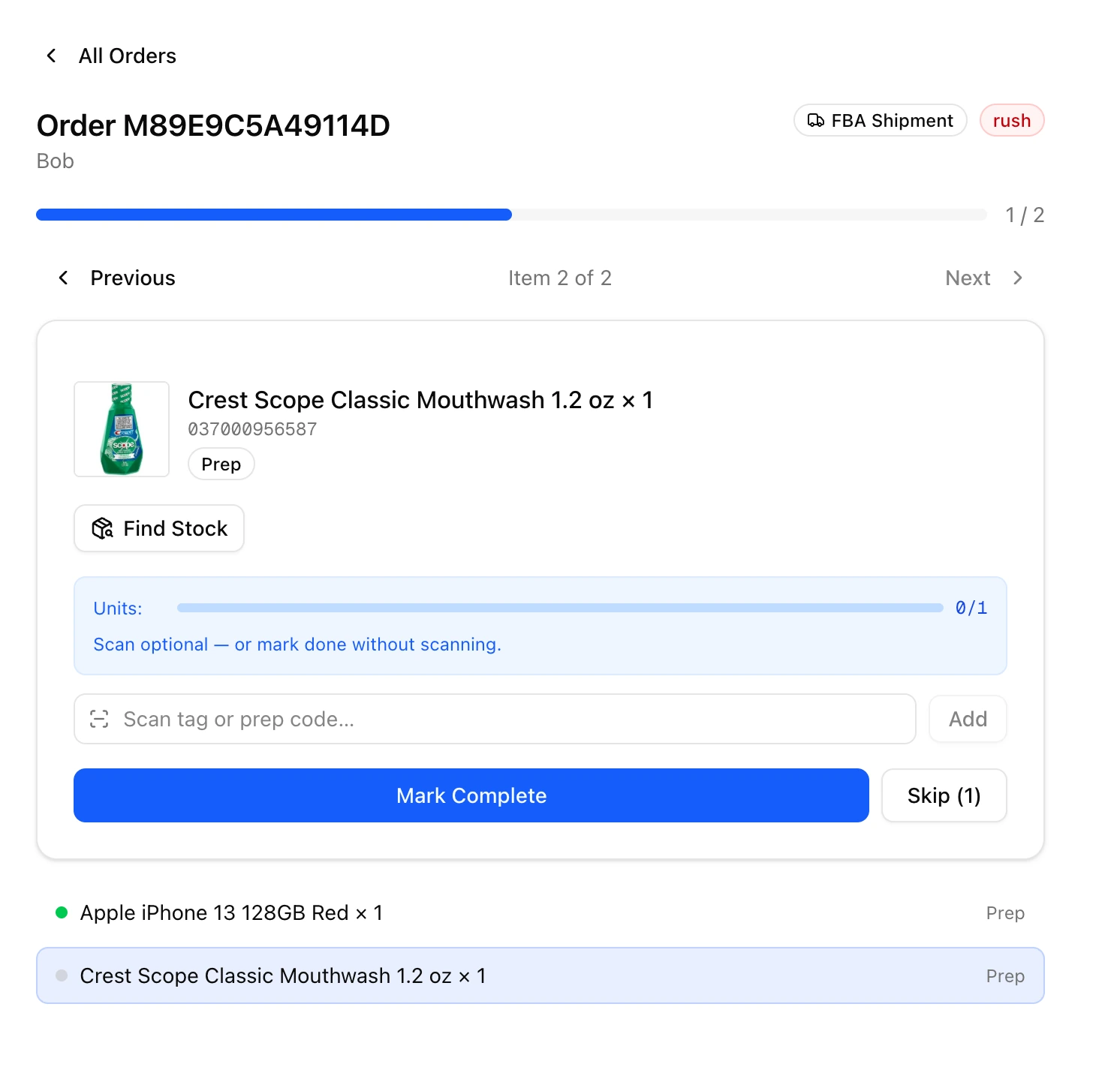
The customer portal
Customers sign in to a branded portal to see live inventory, place forward, FBA and disposal orders with costs shown up front, and track status without emailing you.
Receiving, prep, packing, approvals, customer portals and billing in one place. Every item follows the same traceable path from dock-in to dock-out.
Screens from the live platform, captured on a working floor. No mockups.
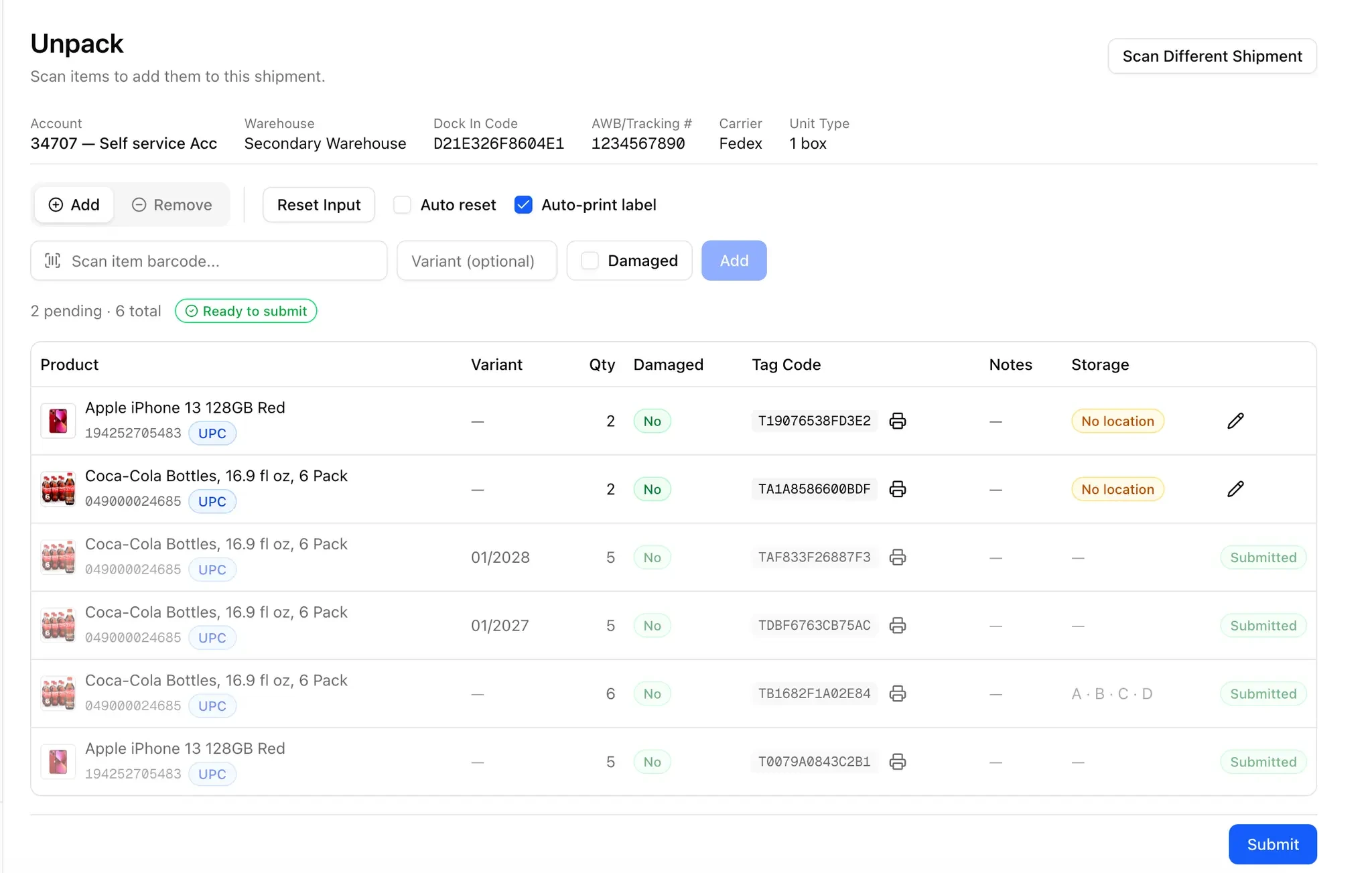
Customers sign in to a branded portal to see live inventory, place forward, FBA and disposal orders with costs shown up front, and track status without emailing you.
Price every service you offer: base prep, multipacks, combo packs, custom instructions, priority handling and order minimums. Volume tiers assign automatically from each customer's trailing twelve-month average.
Three checkpoints at pack, release and dock-out. Nothing leaves the building until an admin has signed it off.
Customers pay invoices by card through your own Stripe account. Funds settle straight to your bank, never through us.
A desktop print app sends tag codes, FNSKU and box labels straight to the printer your floor already uses. No browser print dialogs.
Every prep center runs on its own subdomain with data isolated from every other tenant.
Location-level inventory across every site you run — zone, rack, shelf and bin — so stock is findable wherever it sits.
Floor staff, admins and your customers' own teammates each see only what their role calls for.
Premium adds a custom domain and your own logo throughout the platform. Customers sign in at warehouse.yourbrand.com and see your logo, not ours.
prepCntr follows inventory the way your floor does. Each stage from dock-in to dock-out, in order.
Inbound shipments are logged the moment they hit the dock, then verified and counted at intake. Every carton is tied to the customer it belongs to, so a single courier drop across several customers gets sorted correctly.
Capabilities
Items are unpacked, scanned, and tagged into inventory with printed tag codes from our desktop print app. Component-level tracking means kits and bundles stay accountable down to the unit, and damaged items are recorded instead of disappearing.
Capabilities
Every service is priced from your pricing settings: FNSKU labeling, multipacks, combo packs, and custom instructions. The work your floor does maps directly to what you charge, and bundle recipes keep repeat builds consistent.
Capabilities
Items are packed into outbound boxes with printed box labels, then pass through approval gates at pack, release, and dock-out. Admins catch mistakes before a shipment leaves the building.
Capabilities
Create a tenant, scan a box, and follow it through the pipeline.